Withdraw
To withdraw collateral, open Collateral, click Withdraw on a row, choose a wallet, enter an amount, and sign. The withdrawal is gasless: the taker signs an intent rather than an on-chain transaction, and the relayer releases the collateral. Only the free balance is withdrawable; margin locked in open positions stays in place. Time: ~1 min.
How does withdrawing collateral work?
Open Collateral, then click Withdraw on the asset to pull. The popup opens locked to that one token. There is no need to choose an asset again. Then complete the following steps:
- Choose where it goes. Under Withdraw to, keep the connected wallet or type another address. The panel checks the address live and allows only an approved recipient.
- Enter an amount, or click Max to withdraw the whole free balance.
- Sign. Signing a withdrawal intent — no gas is required — lets the relayer release the collateral to the recipient. The free balance falls when the withdrawal lands.
From there, one of two things happens: the relayer accepts the intent and the collateral lands at the recipient, or the button stays disabled because the recipient is not approved or there is no free balance. When the button is disabled, it names the reason.
The screenshots below show each step.
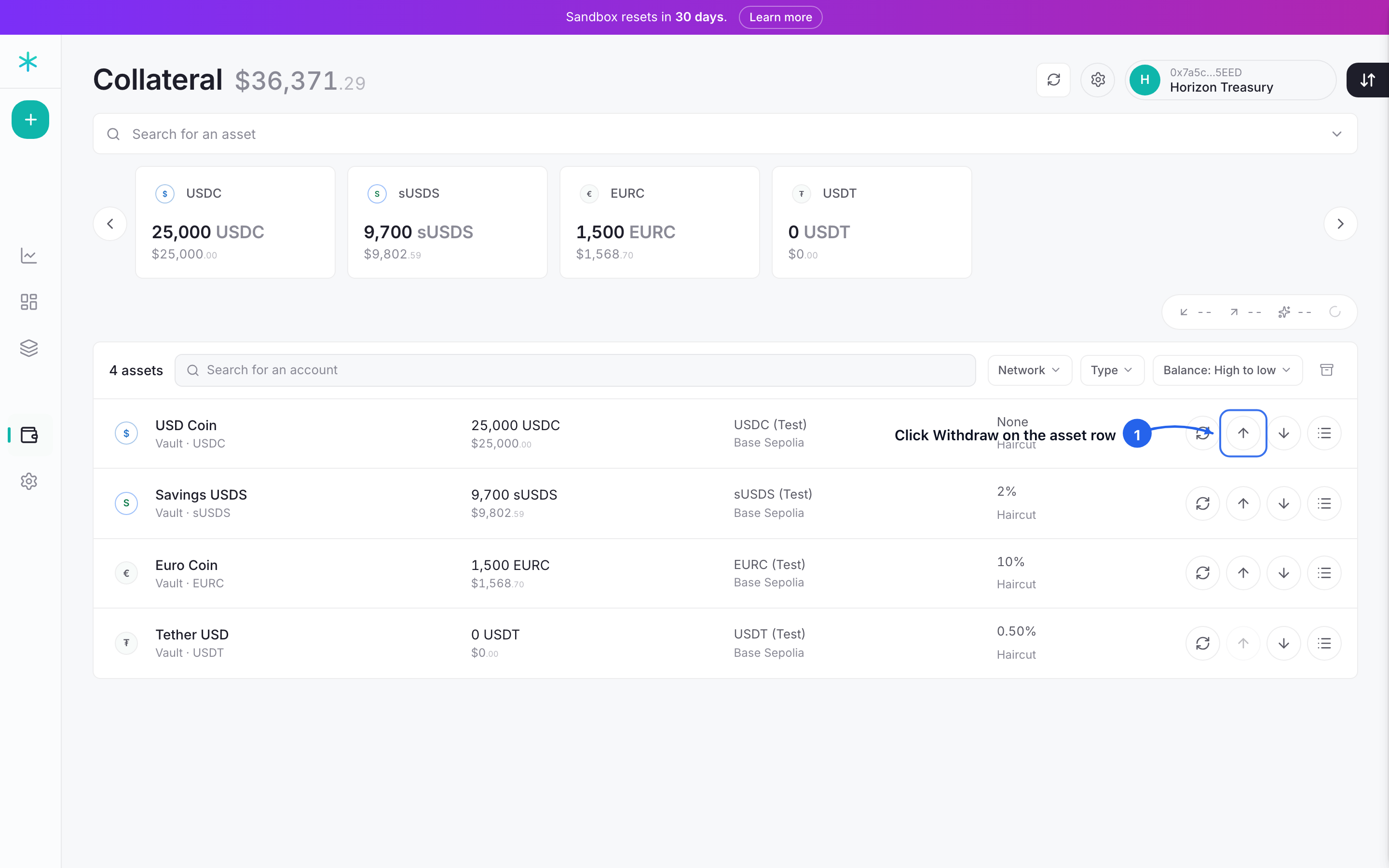 Step 1: each asset row carries its own withdraw button. Click it on the token to pull.
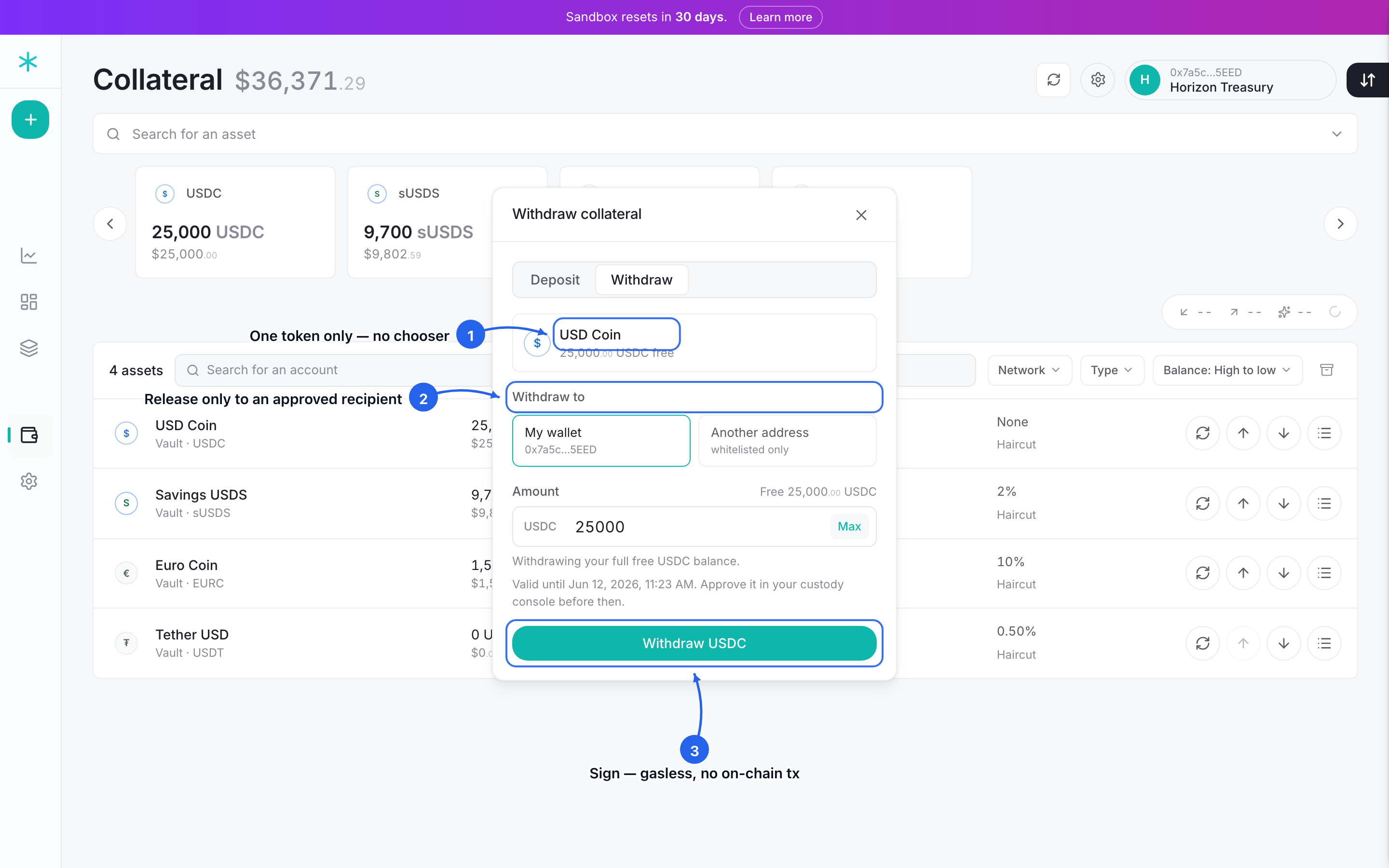 Step 2: the withdraw popup opens locked to that one token. Pick an approved recipient, click Max to fill the full free balance, and click withdraw to sign the gasless intent.
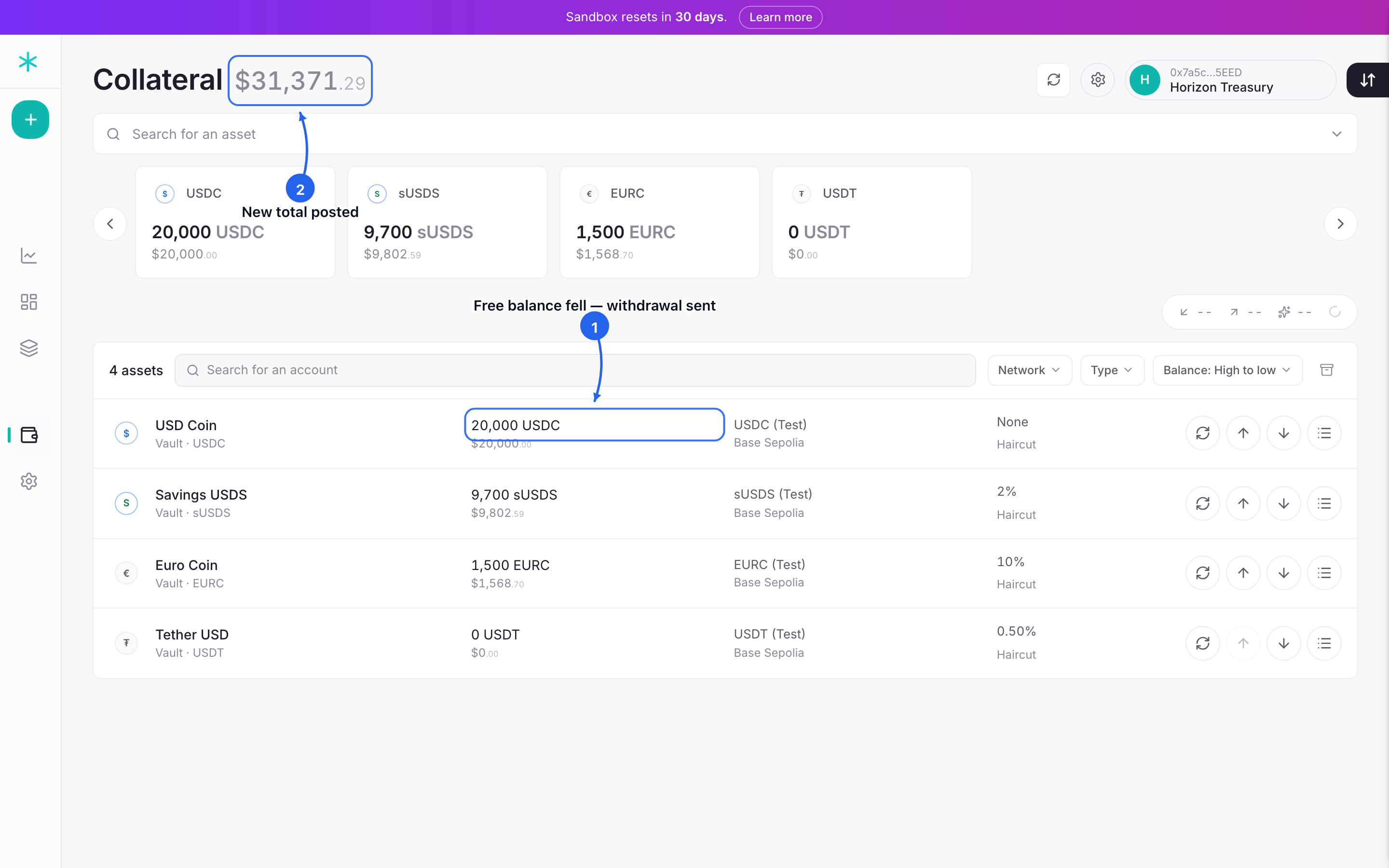 Step 3: the withdrawal sends, and that token's free balance and the total posted both fall.
Where can the money go?
The money can go to an approved recipient, and only there. A withdrawal releases to an operator-approved on-chain route, never to an arbitrary address. There are two ways to get one:
- The connected wallet. This is the standing recipient unless another is chosen.
- A requested address. Type the address; if it is not yet approved, the panel offers a request. An operator approves it on-chain — the taker never self-approves — and a Re-check then surfaces it as allowed.
This is a compliance gate, not a convenience setting. It keeps collateral from leaving to an address no one has vetted.
How much can be taken out?
The free balance in the margin account can be taken out, and no more. The amount available is the collateral not currently posted as margin. Initial margin sitting against an open position is segregated for the life of that trade, and it returns to the free balance only when the position settles or closes. A withdrawal can therefore never pull margin out from under a live hedge.
WarningLocked margin is not withdrawable. To free margin held against a position, settle or close that position first. See Manage a position (~3 min).
What about won profit?
Profit comes out with the rest. As a position moves the trader's way, variation margin clears the gain into the margin account on its own. On withdrawal, any pending variation margin is realized into the free balance first, and the amount taken out includes the profit already cleared to the trader. It is not claimed separately. For how variation margin clears P&L, see The Margin Engine (~3 min).
Can the firm restrict withdrawals?
Withdrawals are restricted by design: every withdrawal releases only to an operator-approved recipient — the connected wallet, or an address an operator has vetted on-chain. The admin curates that approved-recipient list in Advanced Settings (~2 min), letting collateral leave only to a route the firm has named.
Next: Settings (~2 min). The admin controls: access, caps, and the firm's identity on every report.