Deposit
Open collateral, click deposit, pick an asset and an amount, and confirm. The collateral lands in the firm's margin account. A trade draws its initial margin from this balance when it binds. Fund it before trading. Time: ~1 min.
How does adding collateral work?
Open Collateral in the left nav and click Deposit on the asset row to fund. Then:
- Click Deposit on the row. The popup opens locked to that one token: USDC or EURC. There is no chooser.
- Enter an amount. Type it, or the deposit mints test collateral and approves it in the Sandbox.
- Confirm. The wallet asks for a signature on the on-chain deposit. The available balance rises when it lands.
The deposit either mines and the margin account balance rises, or it reverts and nothing moves. Every balance surface re-reads when it lands.
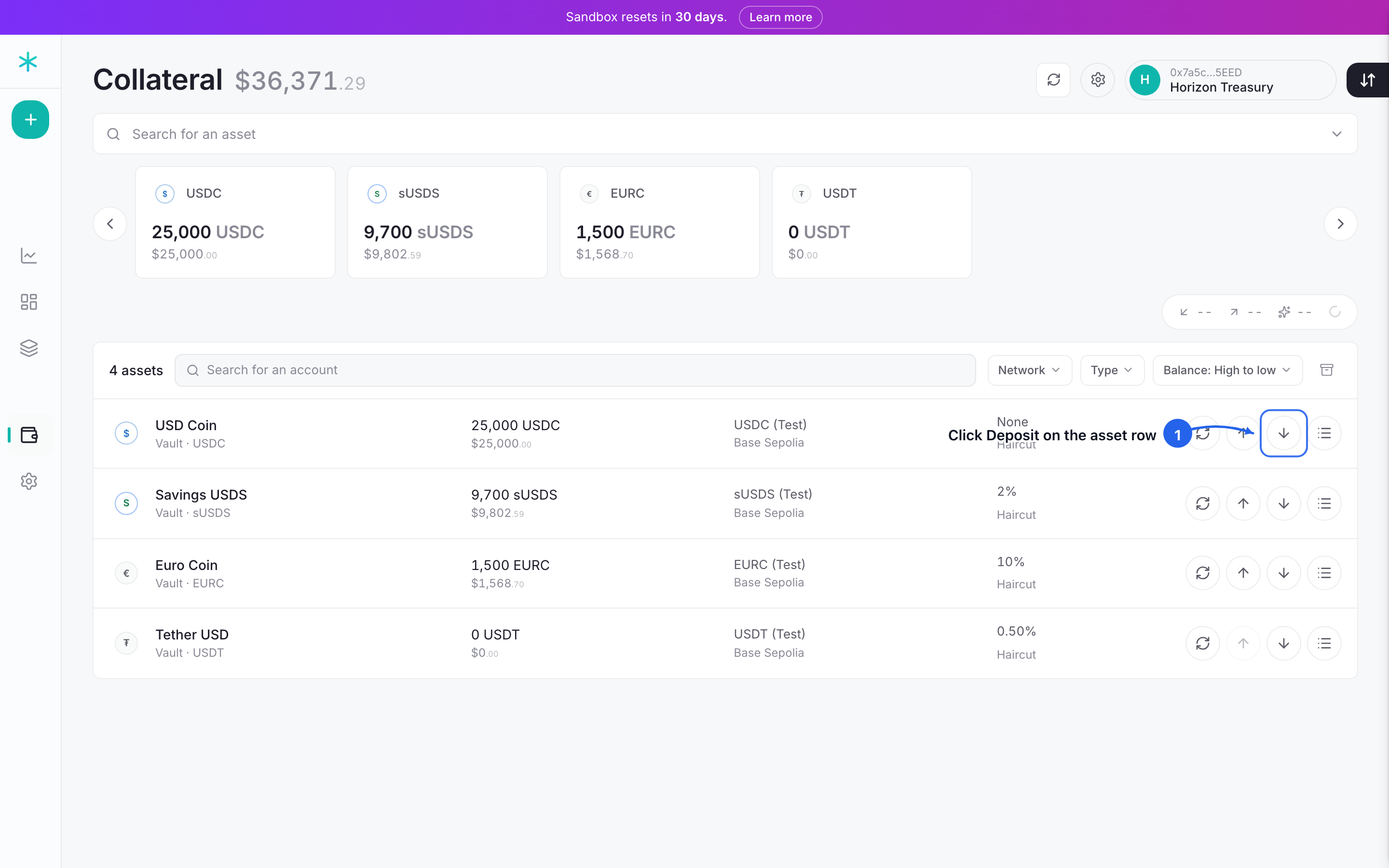 Step 1: each asset row carries its own deposit button. Click it on the token to fund.
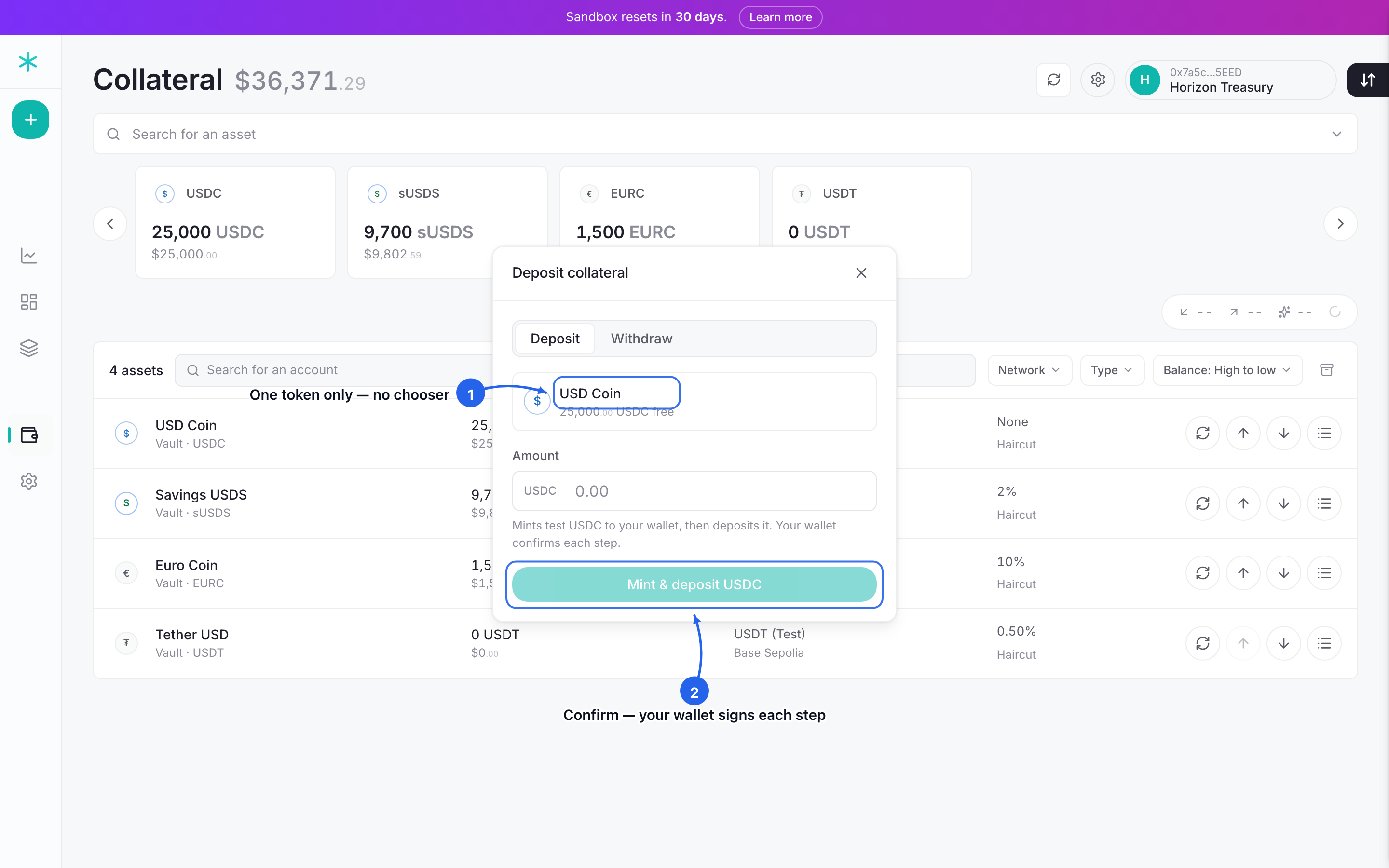 Step 2: the deposit popup, locked to that one token. Enter an amount and confirm; the wallet signs each step.
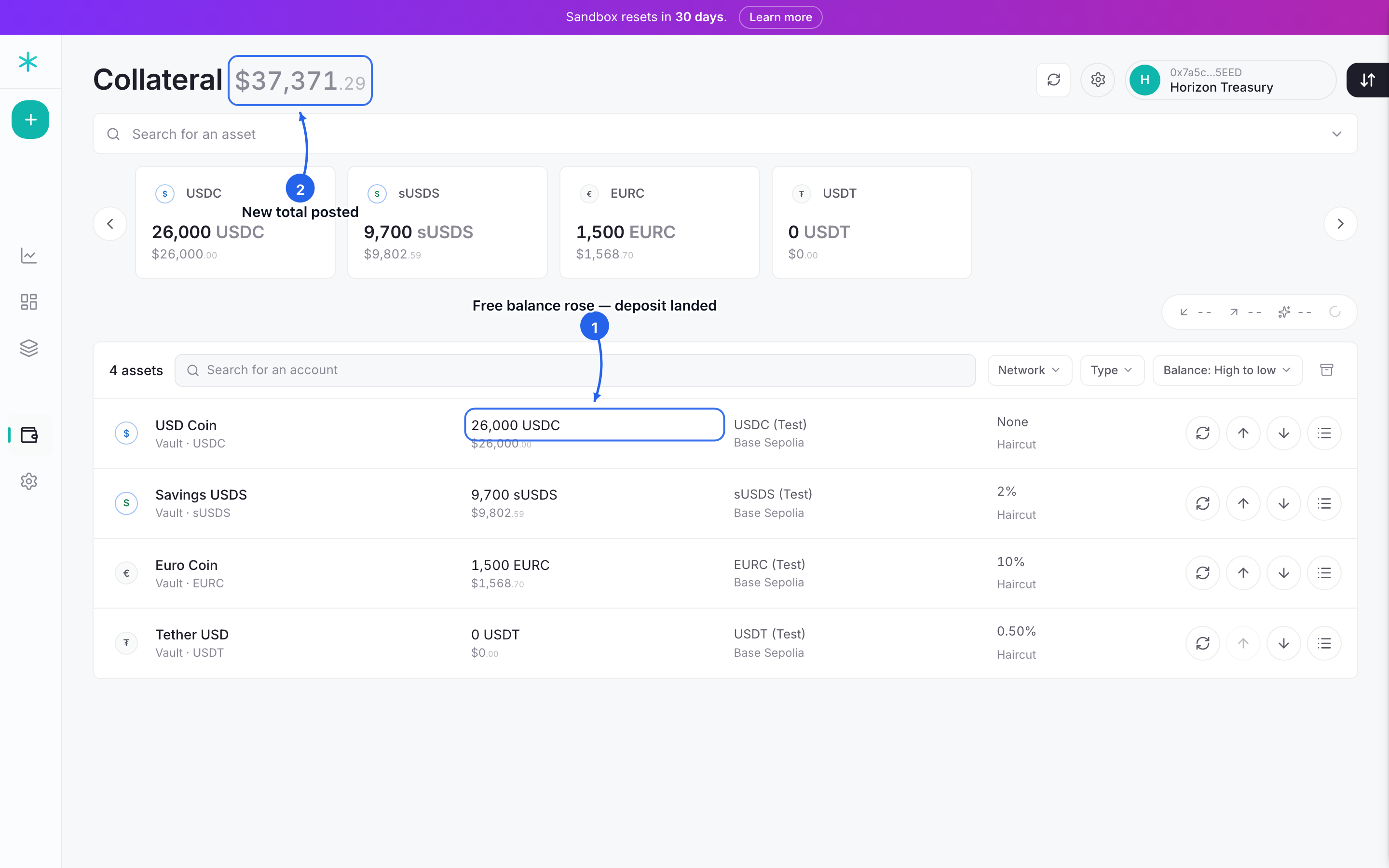 Step 3: the deposit lands: that token's available balance and the total posted both rise.
Where does collateral sit?
A deposit becomes collateral in the firm's margin account. It stays there, withdrawable, until a trade binds; at that moment the trade's initial margin locks, per position, for the life of the position. How each asset is valued and how margin is held: Collateral (~3 min) and The Margin Engine (~3 min).
What protects a deposit?
A deposit grants a standing approval — the permission contracts use to pull funds on the firm's behalf. The approve amount cap bounds it: an admin sets a net USD ceiling, and a leaked approval cannot pull more than that. Set the cap in Settings (~3 min).
Next: Place a trade (~5 min). Turn funded collateral into a hedge.